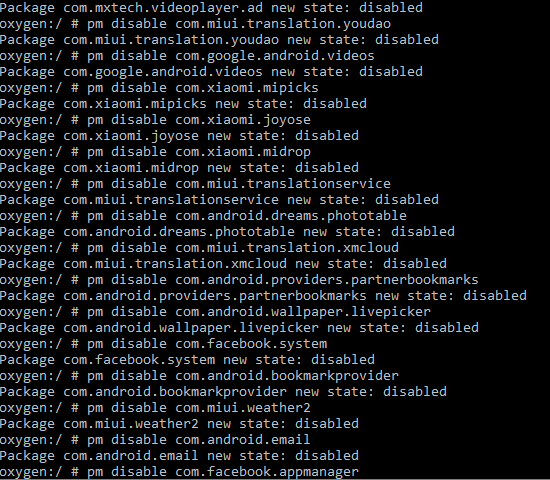

Nobody likes uninstallable waste apps like weather, music , google movies etc. . Problem with uninstalling system apps is it may cause soft bricking. So there is a native way to disable theses packages
Using the inbuilt package manager we can freeze these apps without using lucky patcher or titanium backup pro. All we need to do is enable developer option and then enable USB debugging. Connect mobile to pc using cable.
For next step you should have platform tools and android device driver installed. It can be downloaded from https://developer.android.com/studio/releases/platform-tools
open the command prompt or shell depends up on your Operating system and type
adb devices
If path is not set in enviornment variable, you should run this command from the platform tools folder where adb.exe file is available. If the device is showing up move to next step. You can create a batch file or script file with following commnads and execute it.
Sometime running batch file or script file from adb shell or terminal may give Error: java.lang.IllegalArgumentException: Unknown package: need not to worry instead of running batch file you can just copy and paste following code into the terminal or ADB shell directly
adb shell pm disable com.xiaomi.miplay_client
adb shell pm disable com.mi.android.globalminusscreen
adb shell pm disable com.google.android.googlequicksearchbox
adb shell pm disable com.milink.service
adb shell pm disable com.xiaomi.mi_connect_service
adb shell pm disable com.android.mms.service
adb shell pm disable com.miui.msa.global
adb shell pm disable com.xiaomi.payment
adb shell pm disable com.android.browser
adb shell pm disable com.android.providers.downloads.ui
adb shell pm disable com.google.android.marvin.talkback
adb shell pm disable com.google.android.apps.tachyon
adb shell pm disable com.miui.translation.kingsoft
adb shell pm disable com.google.android.instantapps.supervisor
adb shell pm disable com.miui.android.fashiongallery
adb shell pm disable com.facebook.services
adb shell pm disable com.google.android.music
adb shell pm disable com.android.dreams.basic
adb shell pm disable com.mxtech.videoplayer.ad
adb shell pm disable com.miui.translation.youdao
adb shell pm disable com.google.android.videos
adb shell pm disable com.xiaomi.mipicks
adb shell pm disable com.xiaomi.joyose
adb shell pm disable com.xiaomi.midrop
adb shell pm disable com.miui.translationservice
adb shell pm disable com.android.dreams.phototable
adb shell pm disable com.miui.translation.xmcloud
adb shell pm disable com.android.providers.partnerbookmarks
adb shell pm disable com.android.wallpaper.livepicker
adb shell pm disable com.facebook.system
adb shell pm disable com.android.bookmarkprovider
adb shell pm disable com.miui.weather2
adb shell pm disable com.android.email
adb shell pm disable com.facebook.apadb shell pmanager
adb shell pm disable com.xiaomi.discover
adb shell pm disable com.miui.smsextra
adb shell pm disable com.mipay.wallet.id
adb shell pm disable com.mipay.wallet.in
adb shell pm disable com.miui.player
adb shell pm disable com.miui.hybrid
adb shell pm disable com.miui.touchassistant
adb shell pm disable com.miui.miservice
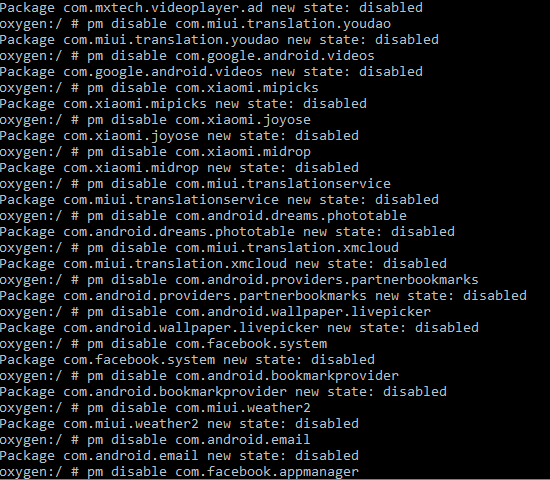
If PC is not available and device is rooted you can edit out adb shell part and copy paste rest of commands (all at once) into a terminal emulator as a super user. The edited commands are provided below.
pm disable com.xiaomi.miplay_client
pm disable com.mi.android.globalminusscreen
pm disable com.google.android.googlequicksearchbox
pm disable com.milink.service
pm disable com.xiaomi.mi_connect_service
pm disable com.android.mms.service
pm disable com.miui.msa.global
pm disable com.xiaomi.payment
pm disable com.android.browser
pm disable com.android.providers.downloads.ui
pm disable com.google.android.marvin.talkback
pm disable com.google.android.apps.tachyon
pm disable com.miui.translation.kingsoft
pm disable com.google.android.instantapps.supervisor
pm disable com.miui.android.fashiongallery
pm disable com.facebook.services
pm disable com.google.android.music
pm disable com.android.dreams.basic
pm disable com.mxtech.videoplayer.ad
pm disable com.miui.translation.youdao
pm disable com.google.android.videos
pm disable com.xiaomi.mipicks
pm disable com.xiaomi.joyose
pm disable com.xiaomi.midrop
pm disable com.miui.translationservice
pm disable com.android.dreams.phototable
pm disable com.miui.translation.xmcloud
pm disable com.android.providers.partnerbookmarks
pm disable com.android.wallpaper.livepicker
pm disable com.facebook.system
pm disable com.android.bookmarkprovider
pm disable com.miui.weather2
pm disable com.android.email
pm disable com.facebook.appmanager
pm disable com.xiaomi.discover
pm disable com.miui.smsextra
pm disable com.mipay.wallet.id
pm disable com.mipay.wallet.in
pm disable com.mi.webkit.core
pm disable com.miui.player
pm disable com.miui.hybrid
pm disable com.miui.touchassistant
pm disable com.miui.miservice